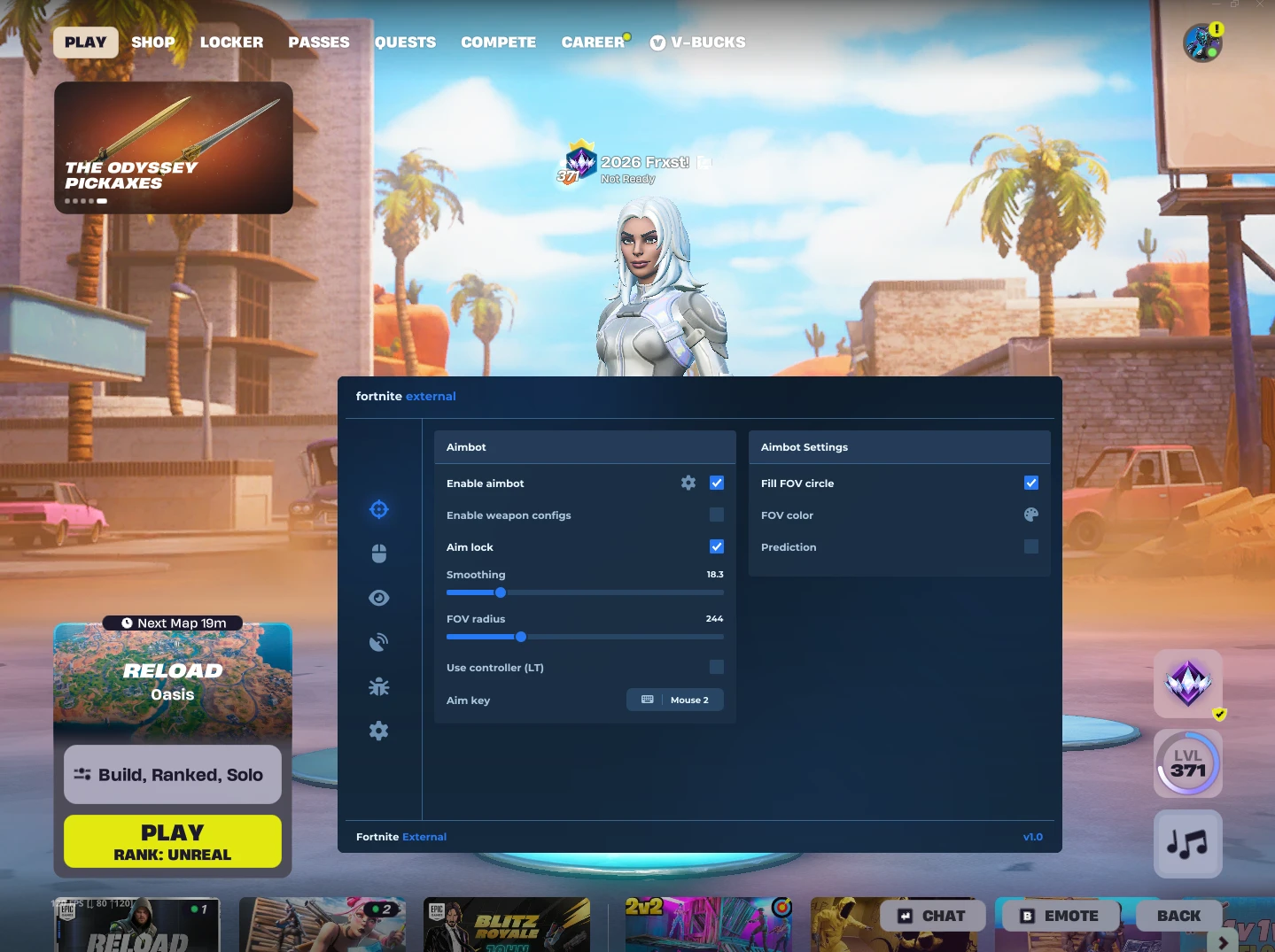
Fortnite Ultimate
Features:
- Combat (Aimbot)
- Master Toggle: Enable/disable the aimbot entirely.
- Aim Lock: Locks onto a single target until lost, rather than swapping targets frame-by-frame.
- Smoothing: Adjustable aim speed (higher for slower/smoother pulls, 0 for instant snap).
- FOV Radius: Customizable aiming circle; targets are only acquired if they are inside this radius.
- Visual FOV Customization: Options to draw a filled FOV circle and change its color.
- Aim Key: Custom keybind to activate the aimbot (default: Right Mouse Button).
- Visibility Check: Ensures the aimbot only targets enemies not hidden behind walls.
- Teammate Filter: Prevents the aimbot from locking onto your own team.
- Prediction: Experimental feature to lead moving targets.
- Advanced Targeting: * Aim height (Head, Body, or Feet).
- Bone count prioritization (1-3 bones).
- Bone selection mode (Closest or Random).
- Triggerbot
- Master Toggle: Auto-fires the weapon when an enemy enters the crosshair.
- Keybind Mode: Can be set to activate only while holding a specific key, or left always-on.
- Shotgun Only Filter: Restricts the triggerbot to only fire when you are holding a shotgun.
- Shot Delay: Adjustable delay between shots (minimum 20ms) to look more natural.
- Visuals (ESP)
- Teammate Filter: Hides visual ESP elements for players on your team.
- Visibility Check: Changes the color of the ESP to red if the enemy is behind cover.
- Distance Limiters: Set minimum and maximum rendering distances (in meters).
- Player Boxing: 2D boxes with options for Full, Corner, or Filled styles, plus adjustable thickness.
- Skeleton ESP: Draws bone lines over player models (Thin, Medium, or Thick).
- Player Info Labels: * Platform (PC, Xbox, PSN, Switch).
- Player Name.
- Kill count (Eliminations).
- Currently held weapon.
- Distance in meters.
- Snaplines: Lines drawn from the screen edge/center to the player's Head, Body, or Feet.
- Off-screen Arrows: Indicators pointing to enemies outside your current view (Small, Medium, or Large).
- Outlines: Adds a black outline to boxes, skeletons, and snaplines for better contrast.
- Radar
- Mini-Map: A 2D top-down radar displaying relative enemy positions.
- Adjustable Range: Set the maximum distance (in meters) for enemies to appear on the radar.
- UI Customization: Adjustable radar radius (size), on-screen X/Y positioning, and background opacity.
- Weapon Configs
- Class Profiles: Separate, independent configurations for Rifles, SMGs, Shotguns, and Snipers.
- Per-Weapon Adjustments: Allows you to set a specific FOV radius, smoothing speed, and aim height preference depending on the weapon currently held.
- Exploits
- Silent Aim: Aims and hits targets without physically moving the visible crosshair.
- Settings & UI
- Menu Keybind: Custom key to open the overlay menu (default: F2).
- Custom Crosshair: A centered crosshair with adjustable size, gap, thickness, and color.
- Auto-Save Config: Automatically saves your preferences to a local .ini file.